How to Use TabeDog: 7 Ways to Find Where Locals Eat in Japan
How to use TabeDog to find great food in Japan: search near you, filter by card and open now, read a restaurant page, search by vibe, and plan by city. With real screenshots.
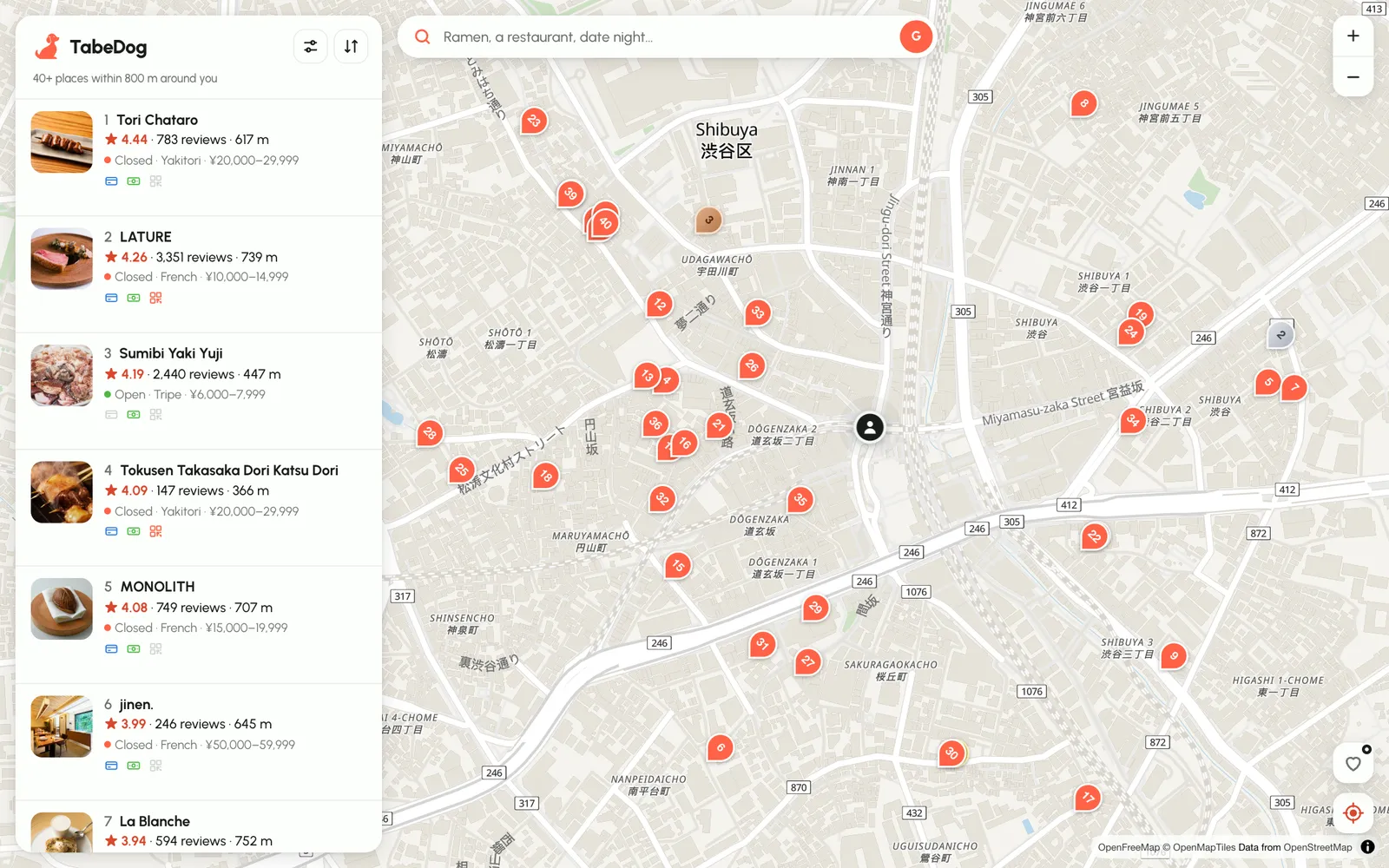
TabeDog puts every Tabelog-rated restaurant in Japan on one English map. Tabelog is the review site Japanese diners actually use, and TabeDog adds the bits a visitor needs: today's hours, prices, and whether they take your card. This guide shows how to use TabeDog seven different ways, using real screenshots taken on tabedog.com in Shibuya and Osaka on 9 November 2026. Ratings and opening times in the pictures are from that day.
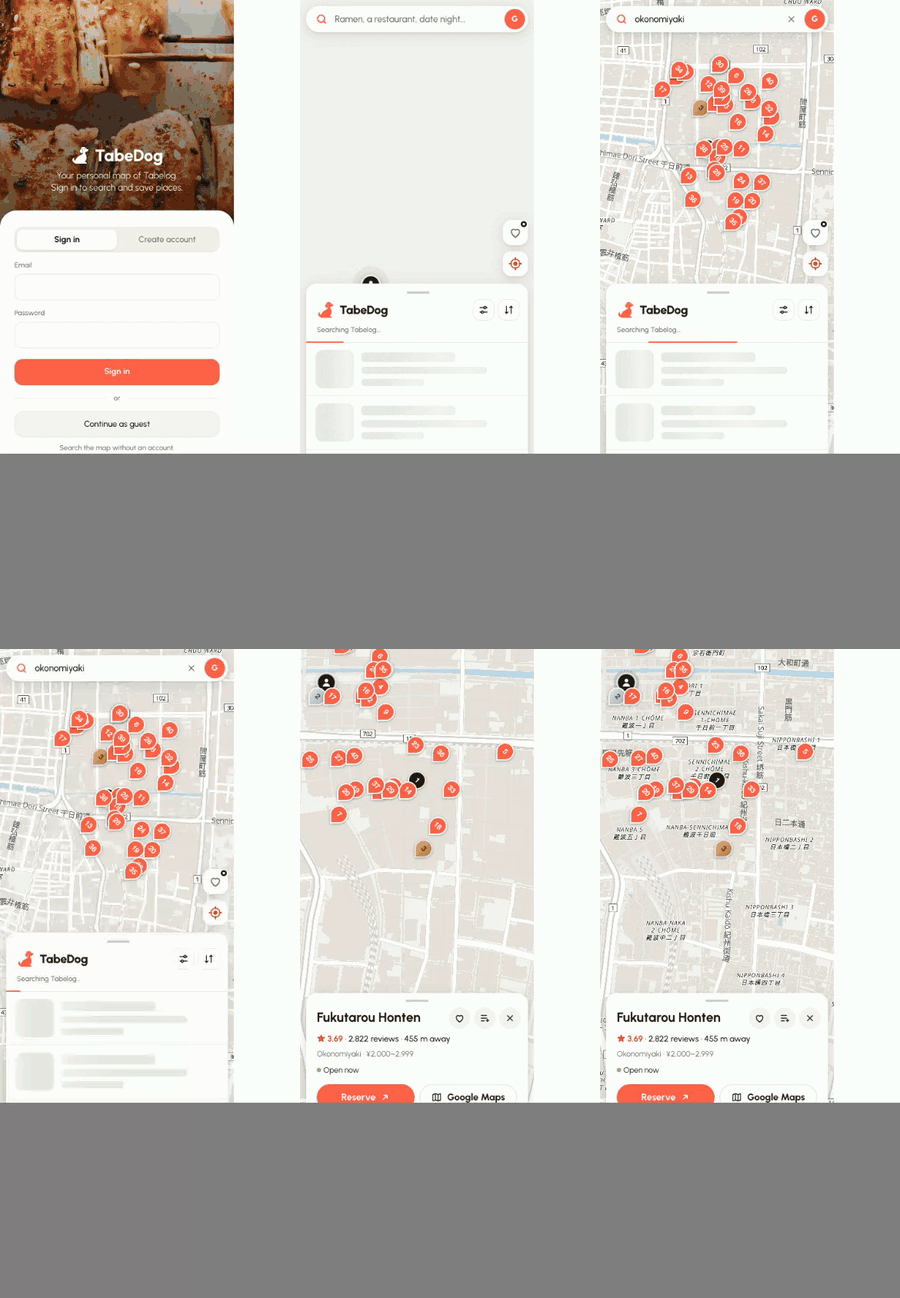
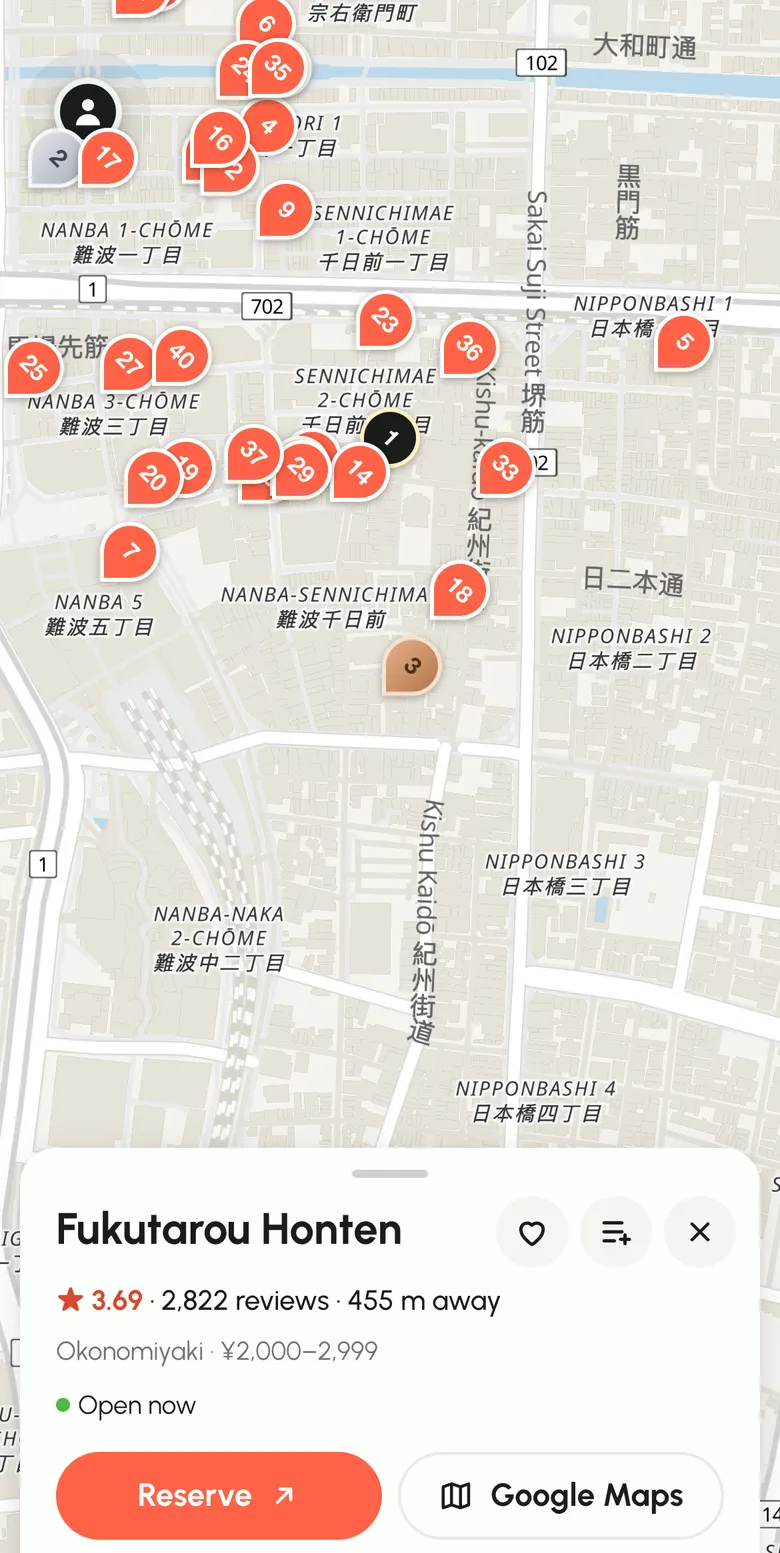
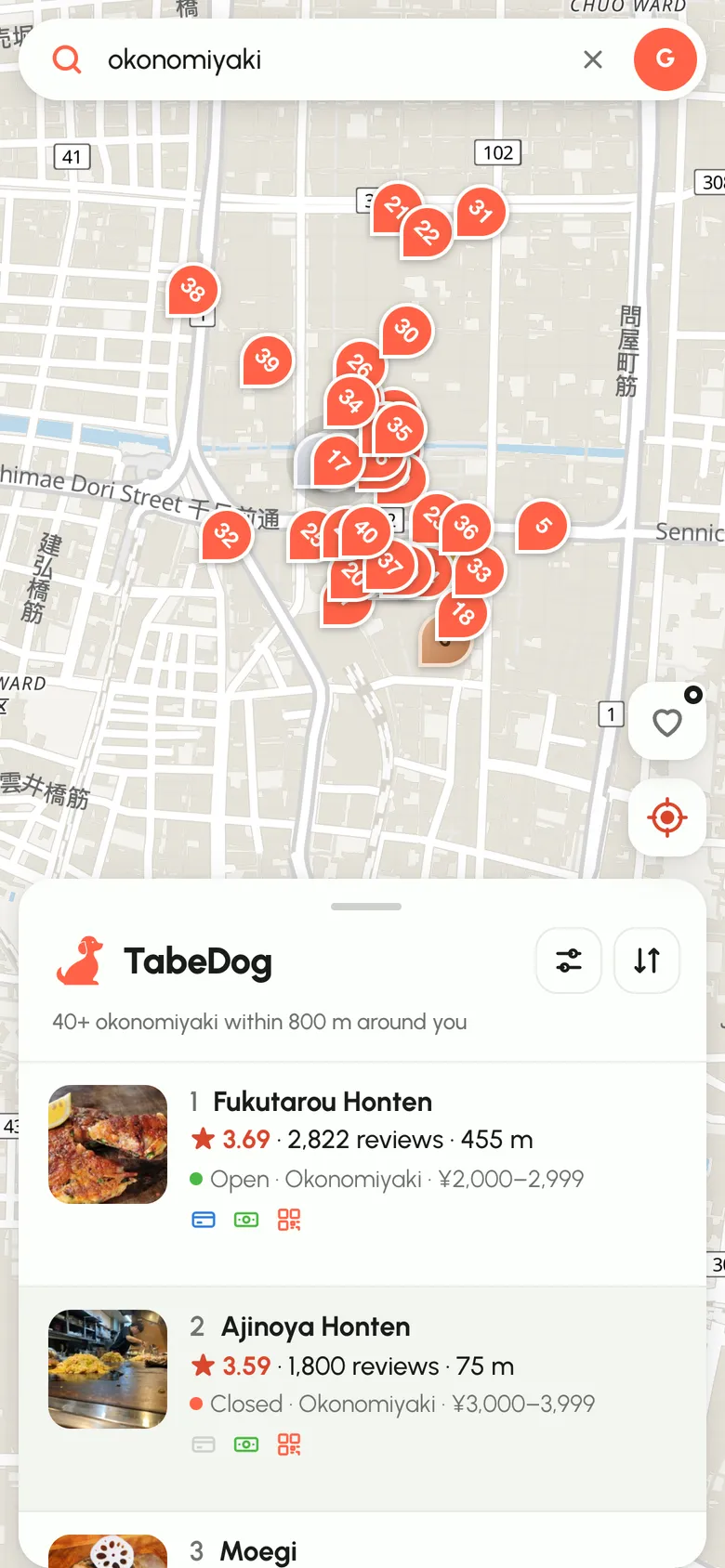
Here's the whole thing in 20 seconds on a phone: open the map, type "okonomiyaki" in Dotonbori, tap the top result.
Why use TabeDog instead of Google Maps or Tabelog
The scores mean something. On Google Maps, nearly every restaurant in Japan sits between 4.0 and 4.5 stars, so the ratings don't separate the great from the fine. Tabelog scores are much stricter: a 3.5 is very good and anything over 4.0 is rare. Our guide on how to read Tabelog scores explains the scale. TabeDog shows those scores on an English map.
It answers the questions you actually have. Is it open right now? Can I pay by card? How much is dinner? Every result in TabeDog shows its open status, price band and payment icons before you tap it, worked out in Japan time from the restaurant's own hours.
It's built for walking around. Tabelog was made for Japanese readers planning ahead. TabeDog starts from where you're standing and shows what's around you, on a phone, in English.
It's free. The map, the scores, the filters and the restaurant pages cost nothing. You can try it without an account.
1. See the best places near you
Open the map and allow location. TabeDog searches around you straight away and lists the best-rated places first, with numbered pins to match. In Shibuya, that was 40+ places within 800 m, from a 4.44 yakitori counter to curry shops under ¥2,000.
Each row tells you a lot at a glance:
- The star score is the Tabelog rating, with the number of reviews behind it.
- The distance is from where you are now, and it updates as you walk.
- The green or red dot says whether it's open right now.
- The three small icons are card, cash and QR-code payment. Grey means not accepted.
Pan the map somewhere else and a Search this area button appears, so you can scout a neighborhood before you get there.
2. Search for a dish
Type what you feel like eating into the search bar: "ramen", "tonkatsu", "boba", "unagi". TabeDog maps it to the matching Tabelog category, so you get real ramen shops rather than every restaurant that mentions noodles.
You can also type a restaurant's name to find it directly.
3. Filter by card, price, rating or "open now"
Tap the sliders icon next to the TabeDog logo. The filters are the ones that matter on a trip:
- Payment: card, QR code or e-money. Plenty of good places in Japan are still cash only, so this one saves real embarrassment.
- Price per person: from under ¥1,000 to ¥10,000+, for dinner or lunch.
- Minimum rating: 3.0+, 3.5+ or 4.0+.
- Open now: only places you can walk into right now.
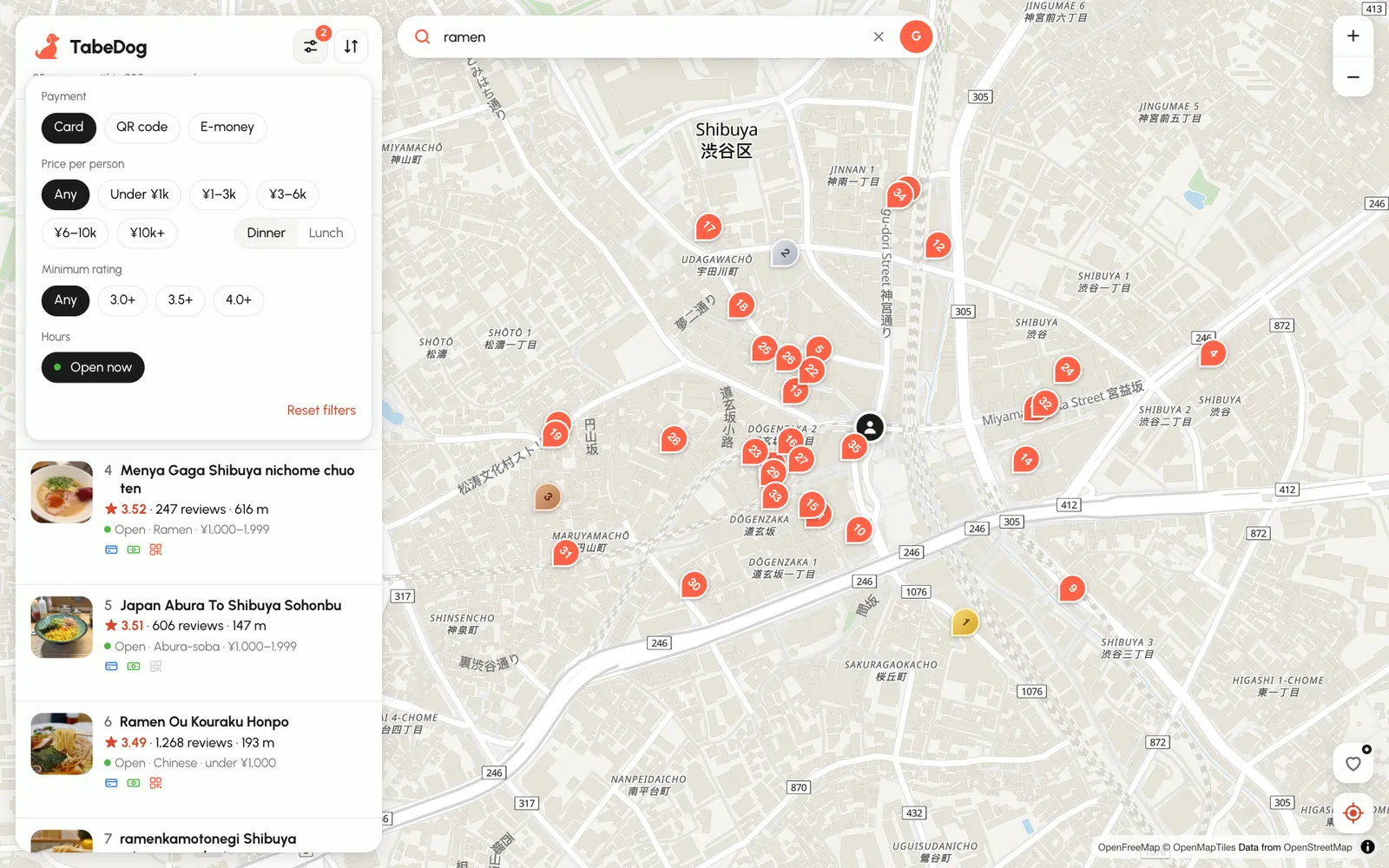
The little number on the sliders icon shows how many filters are on, and Reset filters clears them.
4. Sort the list your way
The arrows icon next to the filters changes the order. Highest rated is the default. Switch to Nearest first when you're hungry now, Most reviewed for safe bets, or Cheapest first and Priciest first when the budget is the point.
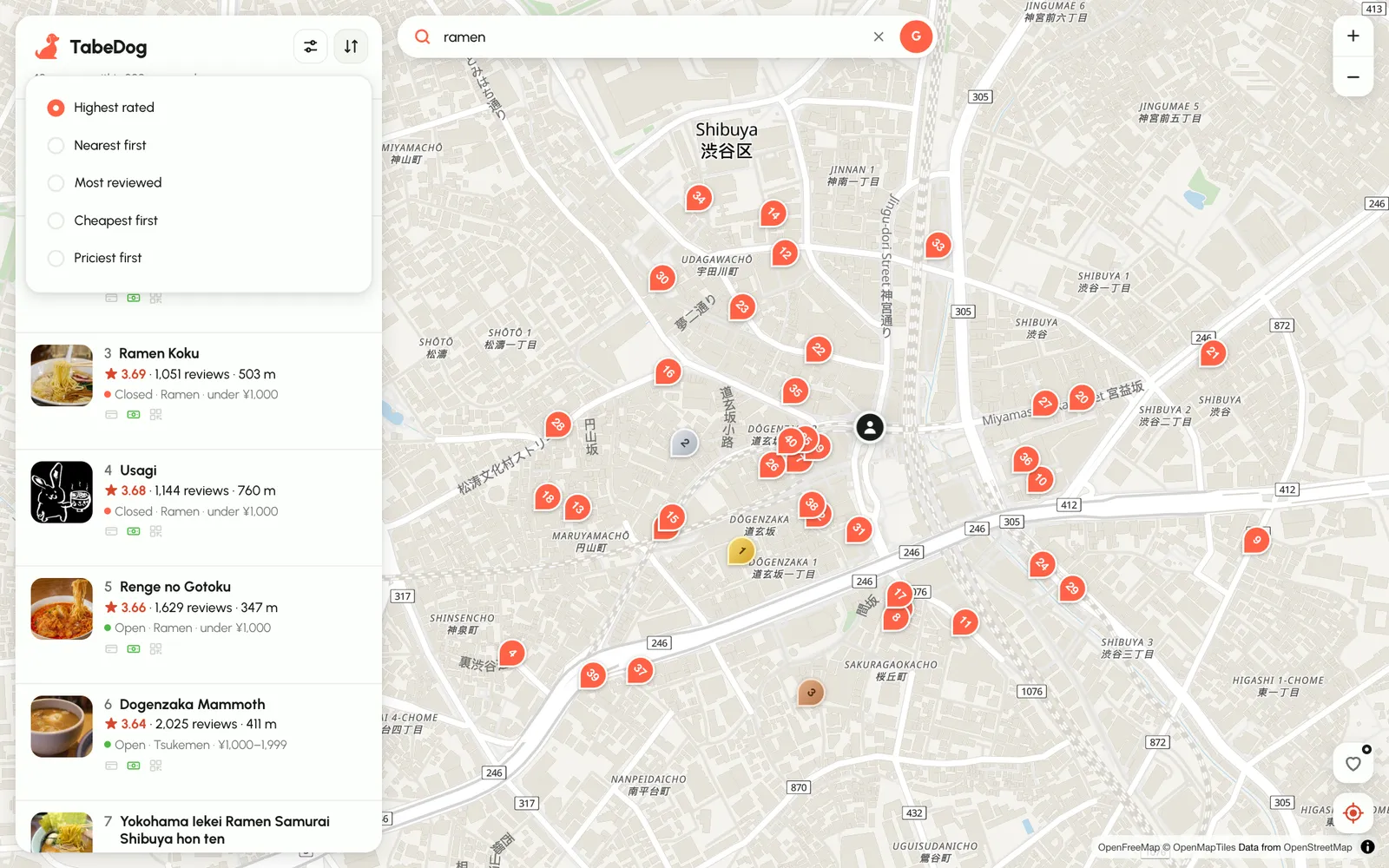
A tip: sort by Nearest first with a 3.5+ rating filter. That's the quickest way to find a very good meal within a few minutes' walk.
5. Check a restaurant before you go
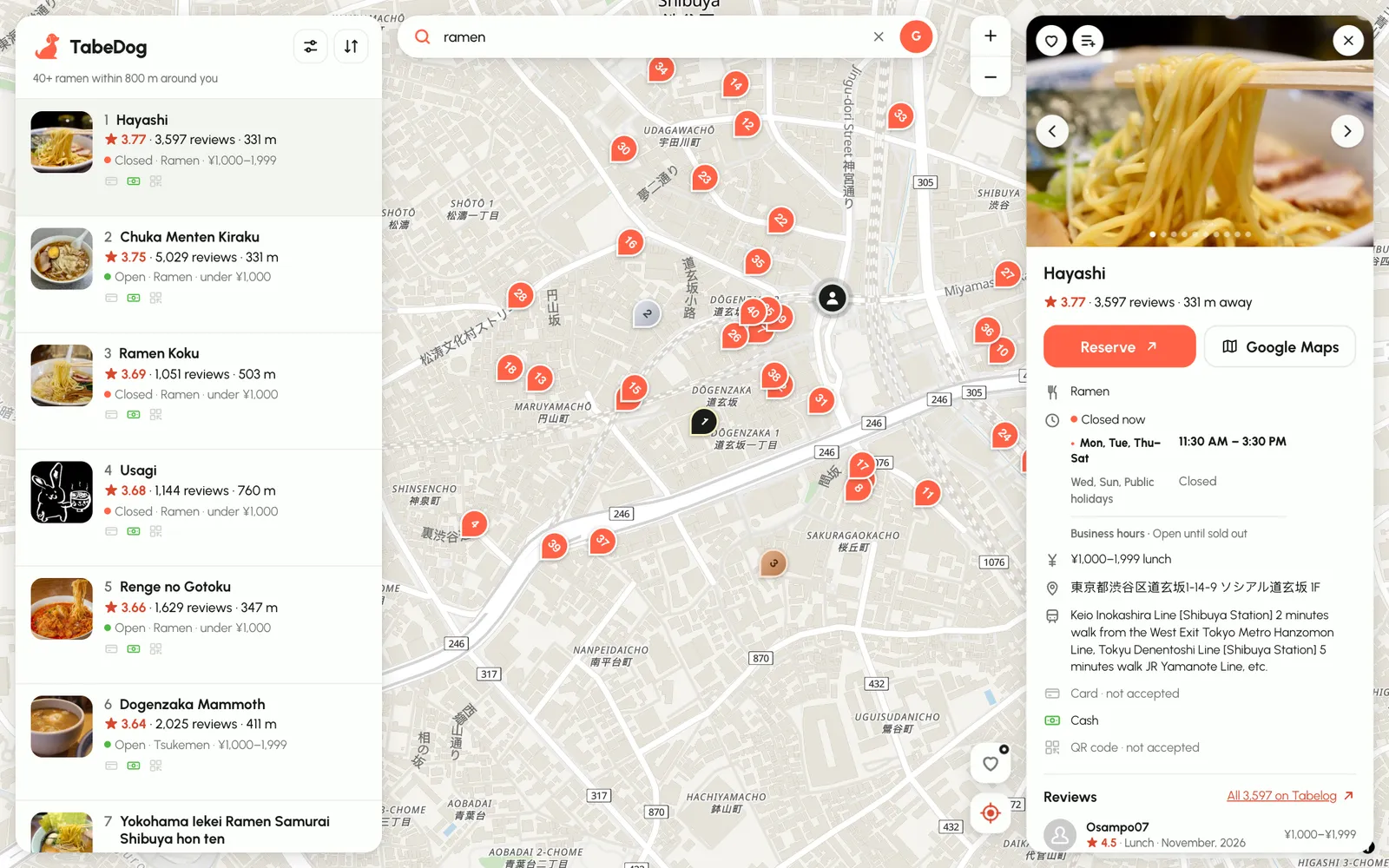
Tap any row or pin to open its page. In the screenshot above, Hayashi in Shibuya shows everything you'd want to know before queuing:
- Photos from Tabelog, which you can swipe through.
- The score (3.77 from 3,597 reviews) and how far away it is.
- Hours for every day of the week, with today's row marked. Hayashi runs 11:30–15:30 and closes on Wednesdays, Sundays and holidays, and its business hours note says "open until sold out".
- The price band (¥1,000–¥1,999 at lunch), the address in Japanese for your taxi driver, and the nearest stations.
- Payment, one row each: here, card not accepted, cash yes, QR code no.
- Recent reviews, with a link to all of them on Tabelog.
Two buttons sit at the top. Reserve opens the restaurant on Tabelog, where you can book if it takes online reservations. Google Maps opens directions, in the Maps app on your phone.
On a phone, the restaurant page slides up as a sheet over the map, so you never lose your place.
6. Search by vibe: date night, solo, private room
The search bar understands more than dishes. Try "date night", "solo dining", "private room", "counter seats", "kids welcome", "night view" or "vegetarian". TabeDog turns these into Tabelog's own search conditions, the ones Japanese diners use, and still ranks the results by score.
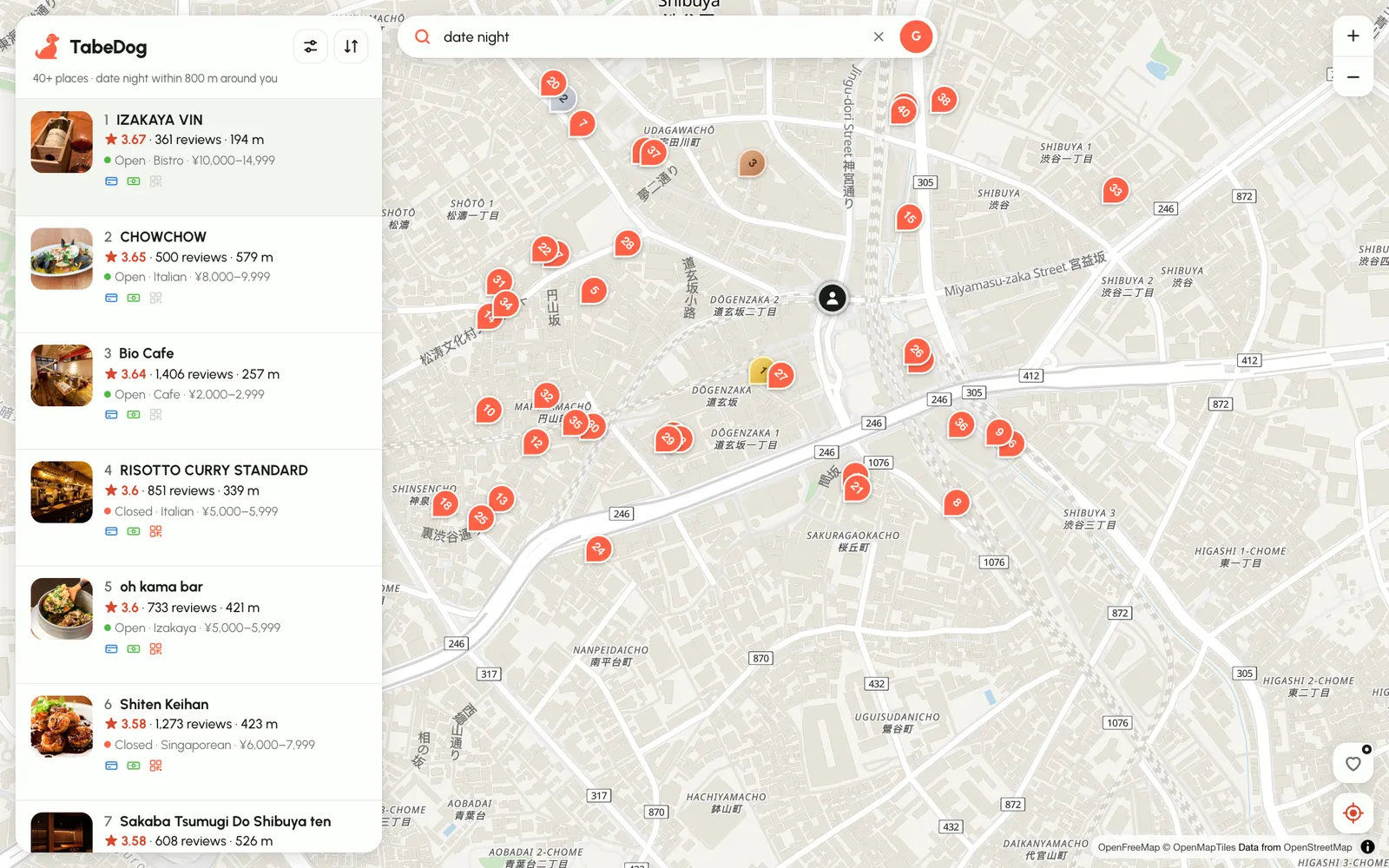
Combine them with the filters. "Date night" plus a ¥6,000–¥10,000 budget plus card-only is a very specific question that the map answers in a couple of seconds.
7. Plan ahead by city and cuisine
Not in Japan yet? Start from a city page instead. Each one lists the 20 top-rated restaurants in that city on Tabelog right now, and links to cuisine pages like the best okonomiyaki in Osaka or kushikatsu in Osaka.
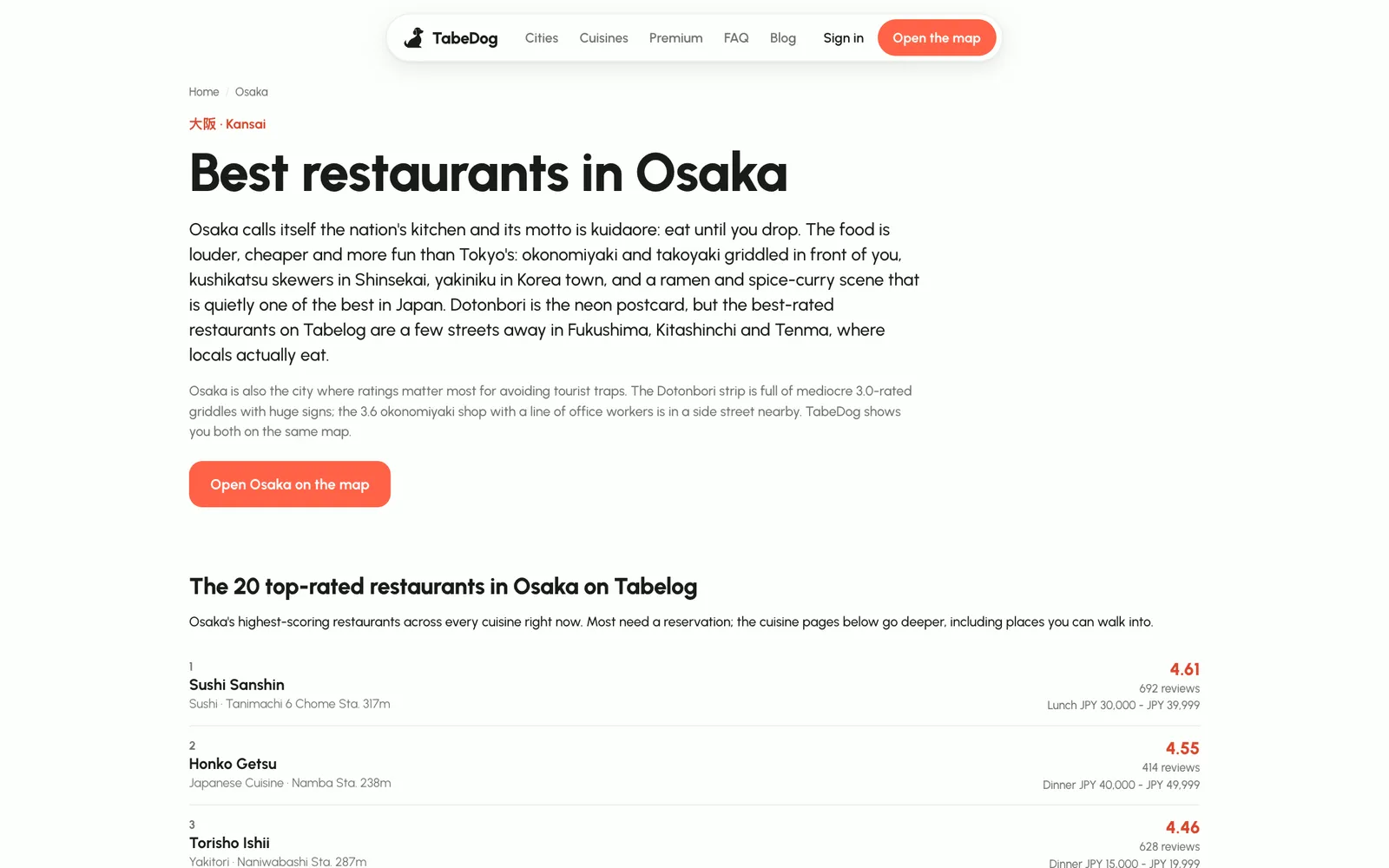
There are pages for Tokyo, Osaka, Kyoto, Fukuoka, Sapporo, Nagoya, Yokohama, Kobe, Hiroshima and Okinawa. Each has an Open on the map button ("Open Osaka on the map", for example) that drops you into that city, so you can try every search above before your flight.
Using TabeDog on your phone
TabeDog runs in your phone's browser, so there's nothing to install. The list sits in a sheet at the bottom: drag it up to read, or down to see the map. Add it to your home screen from the browser's share menu for one-tap access.
TabeDog also remembers your last few searches on that phone for a week, so reopening it shows results immediately while fresh ones load.
Free, guest and Premium
- As a guest (tap Continue as guest on the sign-in page) you get 10 searches an hour, no account needed.
- With a free account searches are unlimited, and it takes an email and a password.
- Premium is ¥500 a month and adds colour-coded saved lists that show up as pins on the map, handy for building a trip shortlist. Scores, filters, hours, prices and payment stay free for everyone.
What TabeDog doesn't do
TabeDog doesn't take bookings itself: Reserve sends you to the restaurant's Tabelog page, and many top places book out weeks ahead or only take reservations by phone in Japanese. Hours come from Tabelog, so check the restaurant's own page before a long trip across town, especially on public holidays.
Start here
- Open TabeDog and allow location, or continue as a guest.
- Search a dish you want, or just look at what's best nearby.
- Turn on Open now and your payment method.
- Tap the top result, check the hours, and go.
For more on the scores, read how to read Tabelog scores. To see how TabeDog fits with Google Maps and Suica, see our must-have apps for Japan. Then pick a dish and learn the local way to eat it, starting with ramen.